Project Initiation
General System & Permissions
Release Notes
January 2026
May 2025
September 2024
June 2024
January 2024
December 2023
September 2023
August 2023
July 2023
June 2023
May 2023
Supplier Management How-To Guides
Supplier Admin & Information Management
Data Governance Dashboard
Supplier Creation
Onboarding Management Plans
Completing Activities
Assigning Classifications to a Supplier record
Issuing an External Assessment
Supplier Status
Supplier Onboarding Dashboard
Assigning Contacts & Stakeholders
Uploading Documents to a Supplier record
Suppliers Dashboard
Supplier Compliance Management
Assigning Insurances and Certifications
Insurances & Certifications Dashboard
Team Governance Dashboard
Assessment Summary Dashboard
Supplier Risk & Issue Management
Issuing a Risk Assessment
Risk Assessments Dashboard
Creating a Supplier Risk
Managing a Supplier Risk
Creating a Supplier Issue
Managing a Supplier Issue
Supplier Risk Management Dashboard
Supplier Relationship & Performance Management
Contract Management How-To Guides
Contract Admin & Information Management
Contract Creation
Assigning Classification(s) against a Contract record
Contract Health Drivers & Checklist Completion
Contract Setup Dashboard
Uploading Documents to a Contract record
Contracts Dashboard
Foreign Currency
Contract Milestone & Key Date Management
Contract Renewals Management
Sourcing Management How-To Guides
Creation and Planning
Sourcing Activity Creation
Planning Tab
If you are Planning with Quick Quotes
If you are Planning with Opportunities Hub
Completing the Planning Phase
At Market
If you are At Market with an external tool
If you are At Market with Quick Quotes
If you are At Market with Opportunities Hub
Completing the At Market Phase
Evaluation
Outcome
Procurement Act 2023
Procurement Act Introduction and Navigation
Transforming Public Procurement
Source- to-Contract and the Procurement Act
Source-to-Contract Procurement Act Prerequisites
Navigating Procurement Act Features Within Source-to-Contract
Overview of Procurement Act Notices
Procurement Act Deep Dive
Bolt Ons
Additional Help
Knowledge Deep Dive
Process Templates (Contracts)
Process - For System Users
Contract Stage Progression Process
Requesting Stage Approval
Approving Stage Approval Requests
Variation Process
Requesting Variation Approval
Approving Variation Approval Requests
Contract Process Comparison
Configuration - For System Administrators
Supplier Categories
Management Plans
Artefact Groups
Activities
Triggers and Schedules
Supplier Data Requests
Delegation of Authority - Configuration
Delegation of Authority - Process
Terminology & Configuration Guides
Frequently Asked Questions
Where can I find information on the Procurement Act features?
Why can't I apply a variation against my contract?
How do I filter within Analytics?
I cannot access certain areas of the system, why?
How do I switch email alerts on?
How do I 'Finalise' my contract?
How long does it take for Analytics to update?
What file types can I upload?
The OneAdvanced Customer Support Portal
Admin: How can I assign a User the 'Contract Manager' role on the Customer Support Portal?
How to raise a Support case?
Admin: How can I remove a User from the Customer Support Portal?
Customer Portal Guide
Admin: How can I grant Admin permissions to a User on the Customer Support Portal?
Admin: How can I find my organisation's Registration Code?
How do I access the OneAdvanced Customer Support Portal?
Admin: How do I approve a new User on the Customer Support Portal?
How can I raise a finance case with OneAdvanced?
Planning Tab

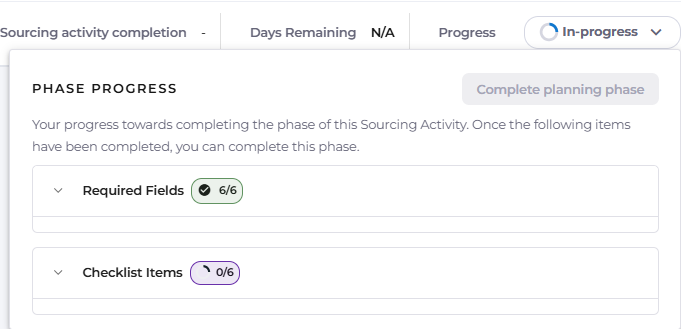
Once the Sourcing Activity has been created, it will automatically enter into the Planning phase of the process.

The In-Progress dropdown contains a list of mandatory items to be populated before this phase ends, as well as a checklist that must be completed.
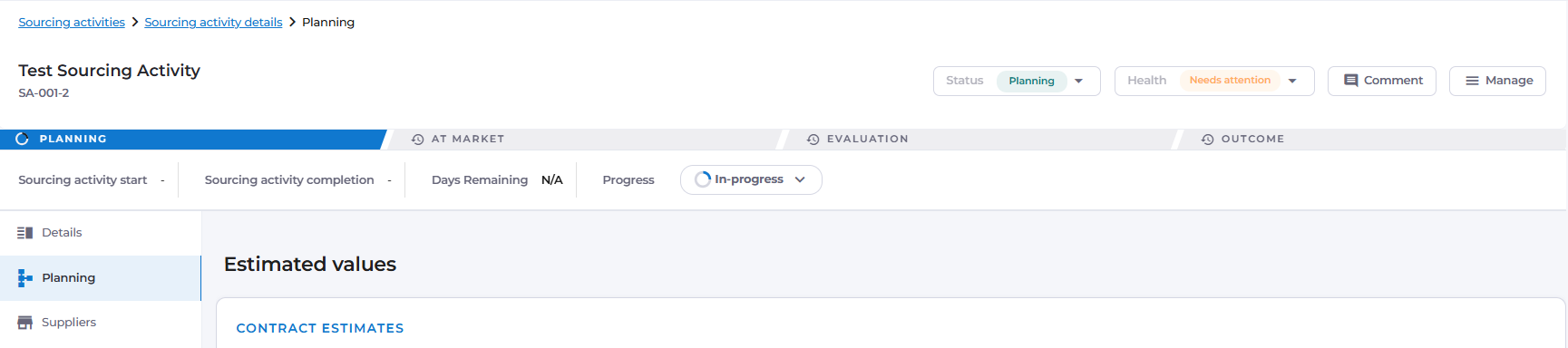
To begin fulfilling the requirements of this phase, navigate to the Planning tab.
Contract Estimates
The first section is for Contract Estimates.
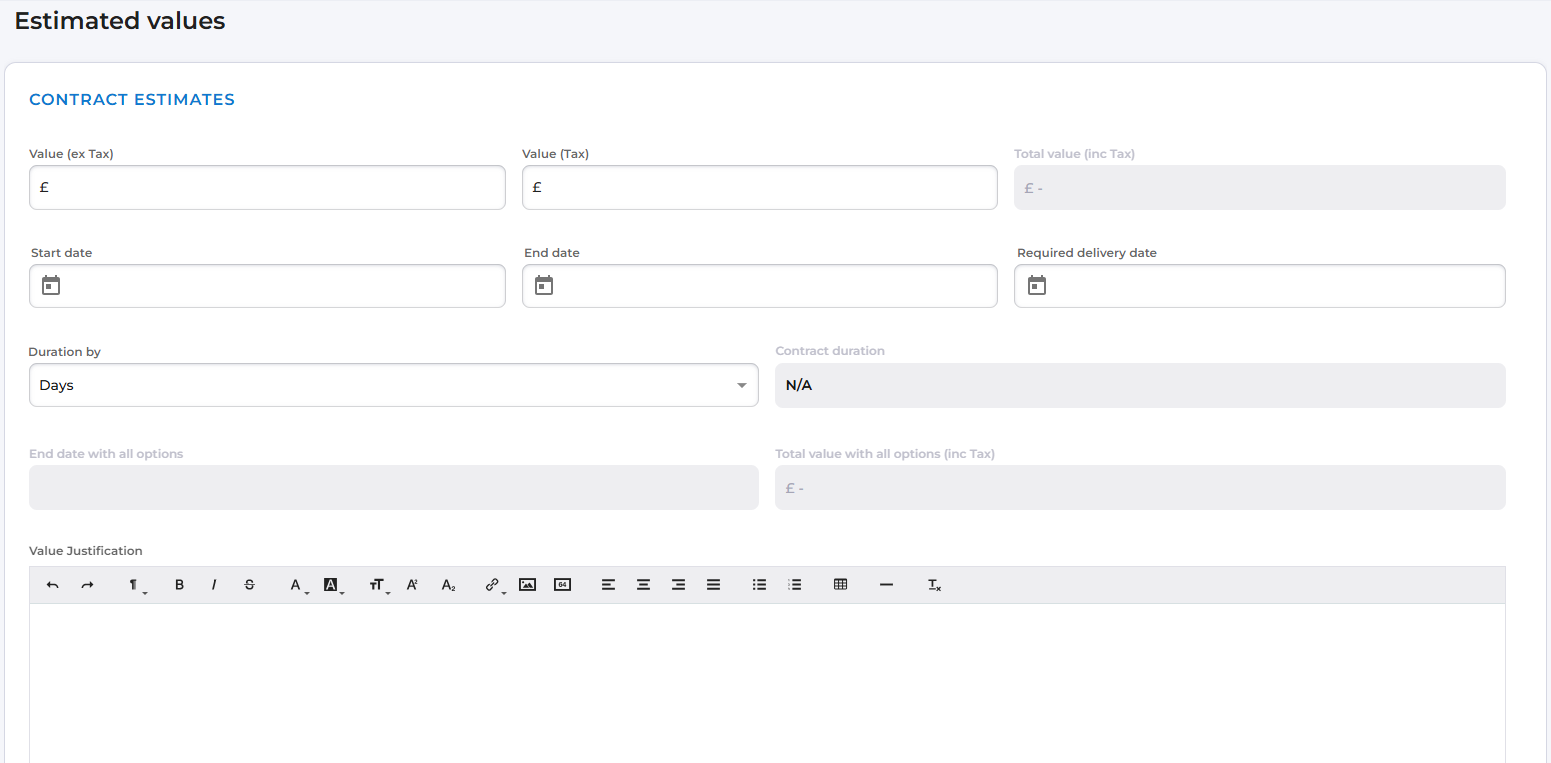
These values represent the estimated costs and timeframes for the contract or contracts that will follow on conclusion of this sourcing activity.
Entering this information is essential, as it will form the budget for all contracts awarded from this sourcing activity once it reaches the Outcome phase.
For sourcing activities where only a single contract will be awarded, the figure provided here will act as the benchmark against which the awarded contract value is compared.
The required delivery date can also be set here.
After Contract Estimates, further sections are available where you can provide additional information about the requirements of the sourcing activity and the contracts that will be created as a result of it.
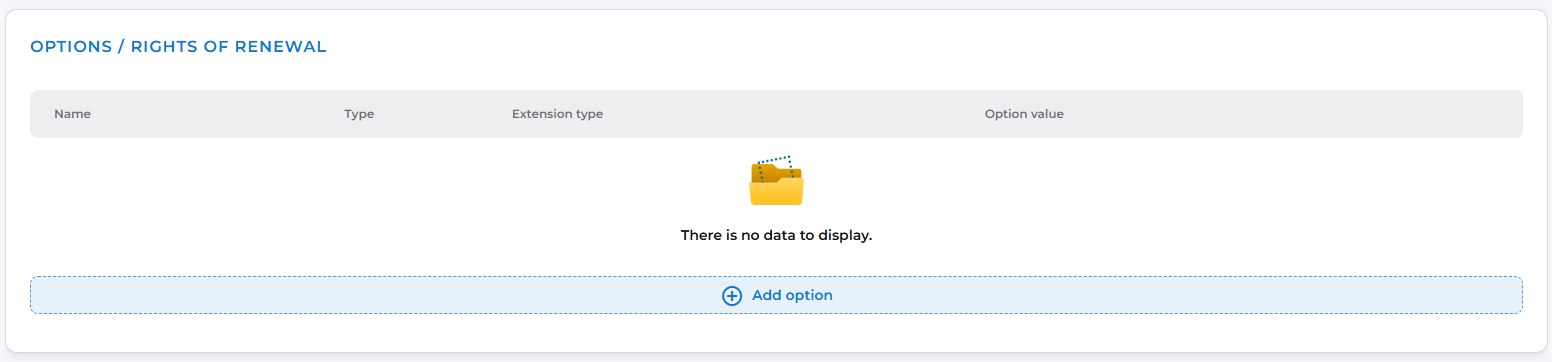
Options / Rights of Renewal
This section is available for adding any Options / Rights of Renewal that the contract should include.
RFx Pack
The RFx Pack section enables you to define the conditions of your RFx pack - including the Conditions of Tendering, Contract Template and Payment Model.
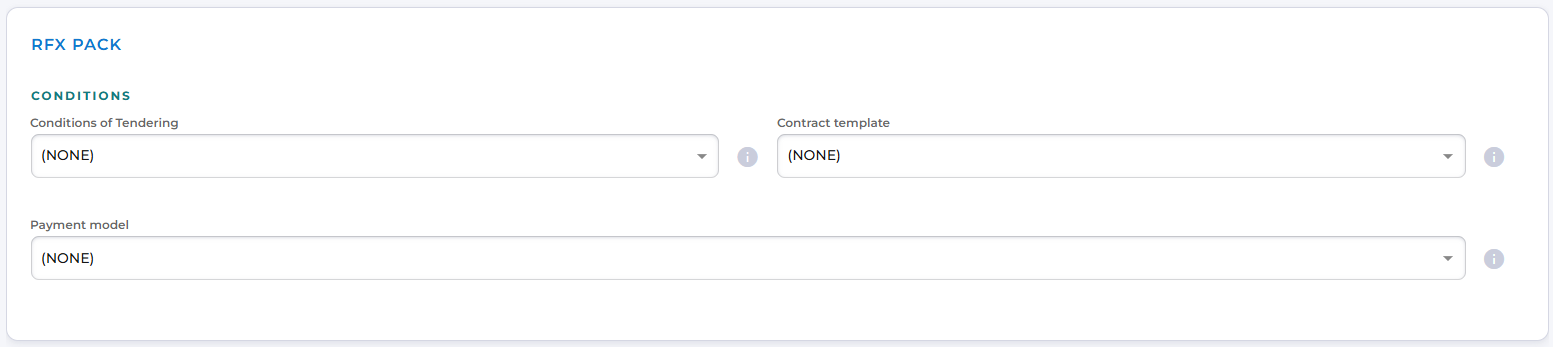
The fields within the RFx Pack are prepopulated with values taken from the system configuration.
In the out‑of‑the‑box configuration, the Conditions of Tendering are set to "See attachments", and the Payment Model defaults to "Standard".
These defaults should be expanded upon or supplemented with supporting documentation when conducting a sourcing activity, to ensure suppliers have a clear and complete understanding of the requirements.
Planned Dates
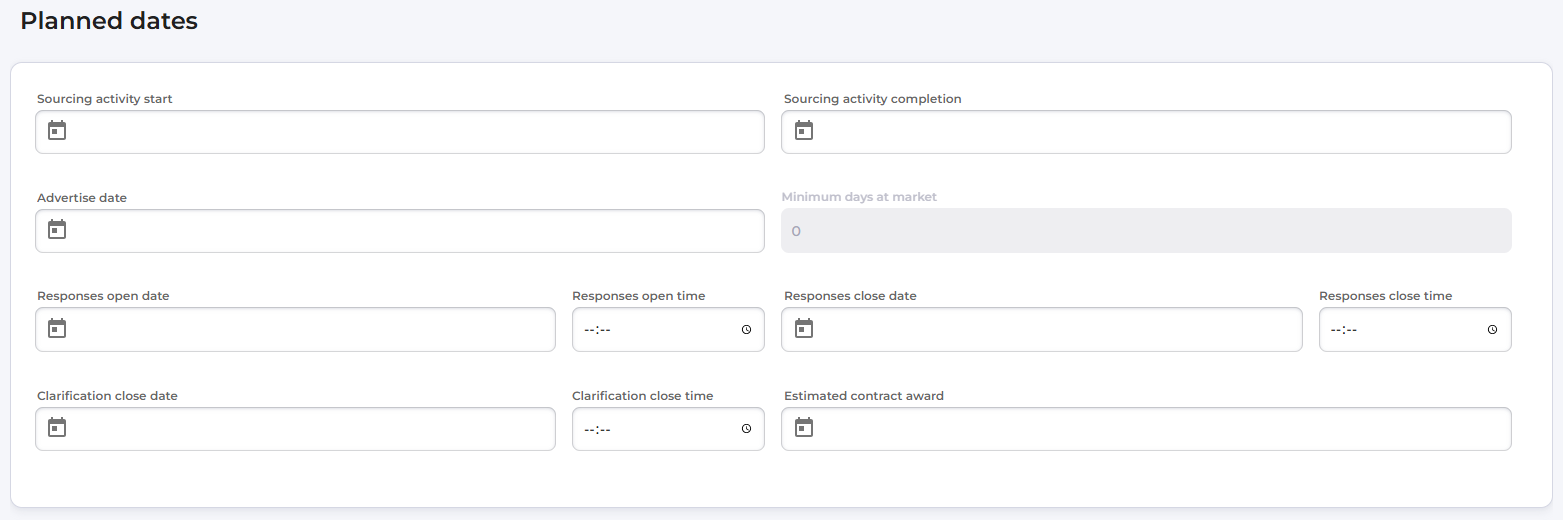
The Planned Dates section should have been completed immediately after the activity was created, but it can also be updated or populated at this stage.
Evaluation Methodology
The Evaluation Methodology to be used for this sourcing activity should also be set in this section.

This selection determines the assessment framework that will be applied and against which suppliers’ responses will be evaluated.
In the standard configuration, a single methodology is available, enabling you to assess price, quality and social value factors for each potential supplier, as well as provide commentary on both the submission and the evaluation.
Requirements and Compliance Items
Finally, you can specify the requirements that a supplier must meet in order to be successful in their bid.
These requirements may include Insurances, Qualifications and Certifications, and Documents.
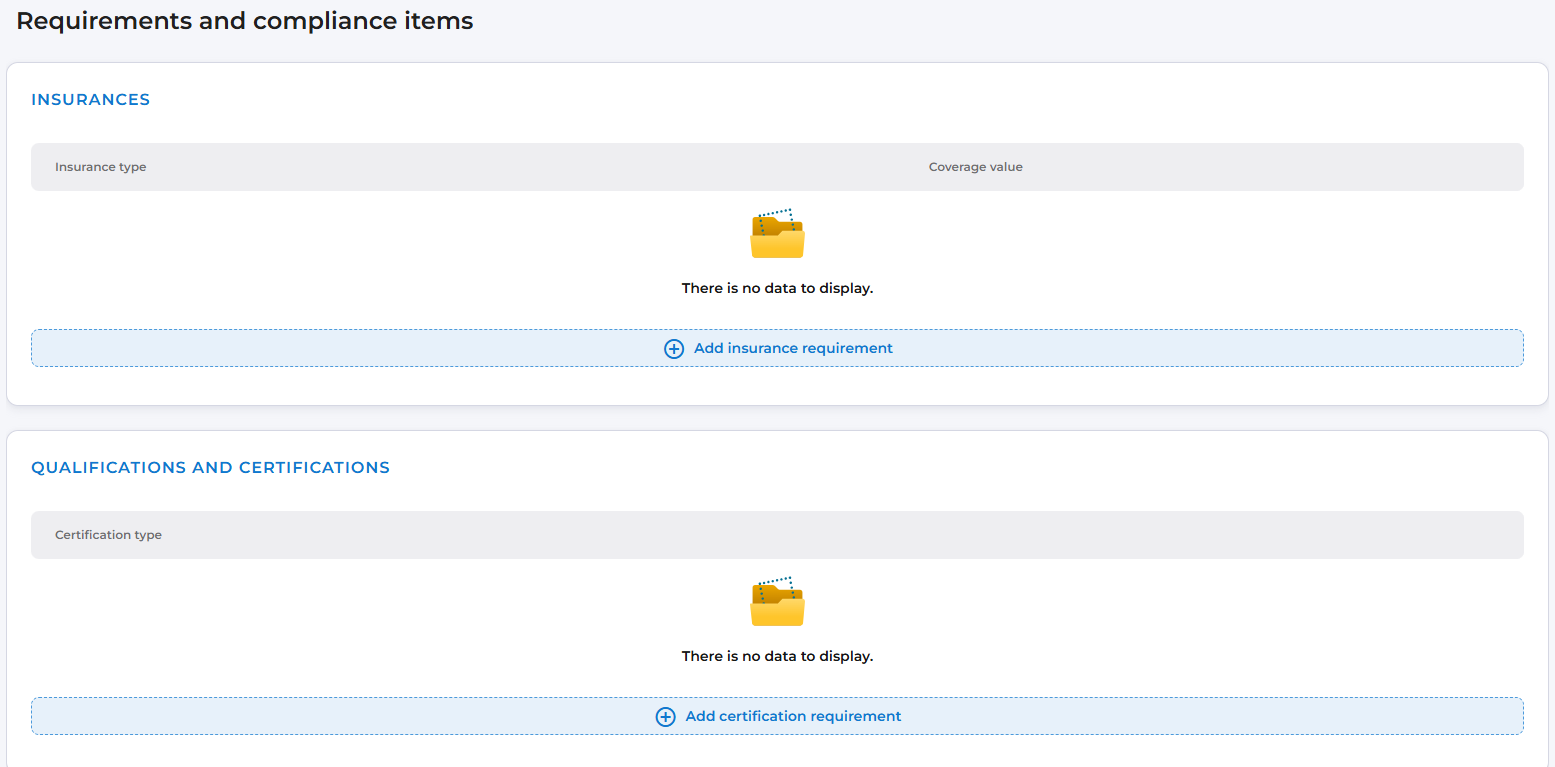
When suppliers respond to the opportunity, the system will automatically check their supplier record to confirm whether this information is held, providing an automated view of their compliance.